2008 - MX-5 - Body and Accessories
MEMORY CLEARING PROCEDURE [AUDIO]
1. Start the on-board diagnostic test mode.
2. While pressing the POWER button, simultaneously press the AUDIO CONT button for 2 s or more.
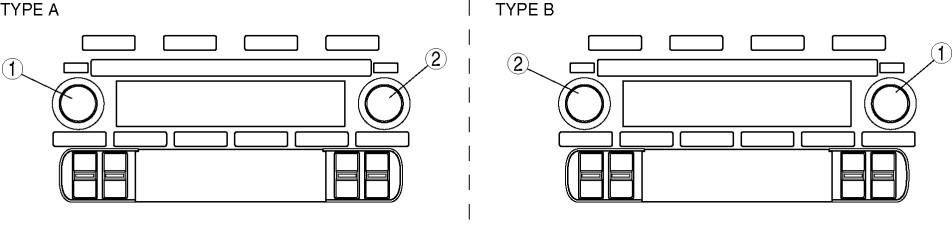
1
POWER button
2
AUDIO CONT button
CAUTION:
Before clearing the memory, be sure to enter all of the DTCs displayed in the on-board diagnostic test mode in the Audio Repair Order Form.
3. To stop the on-board diagnostic test mode, turn the ignition switch off.
< Previous Next >
© 2009 Mazda North American Operations, U.S.A.